04 · UI/UX · Product · 2026
Gray StackYour skills, stacked.
Gray Stack started as my own portfolio. I rebuilt it around one idea, the skill stack, and then turned that design into a builder anyone can use to make their own and download it as a finished website.
- Role
- Design, product, front-end
- Made
- graystack.me and the builder
- Built with
- HTML, CSS, vanilla JavaScript
- Status
- Working builder · site ready to launch
01 / Before and after
From a slogan to a site that shows the work.
The old graystack.me looked polished but said very little: a three-word slogan, an abstract shape, and claims a visitor had to take on trust. The rebuild leads with who I am and puts the work one click away. Drag to compare.
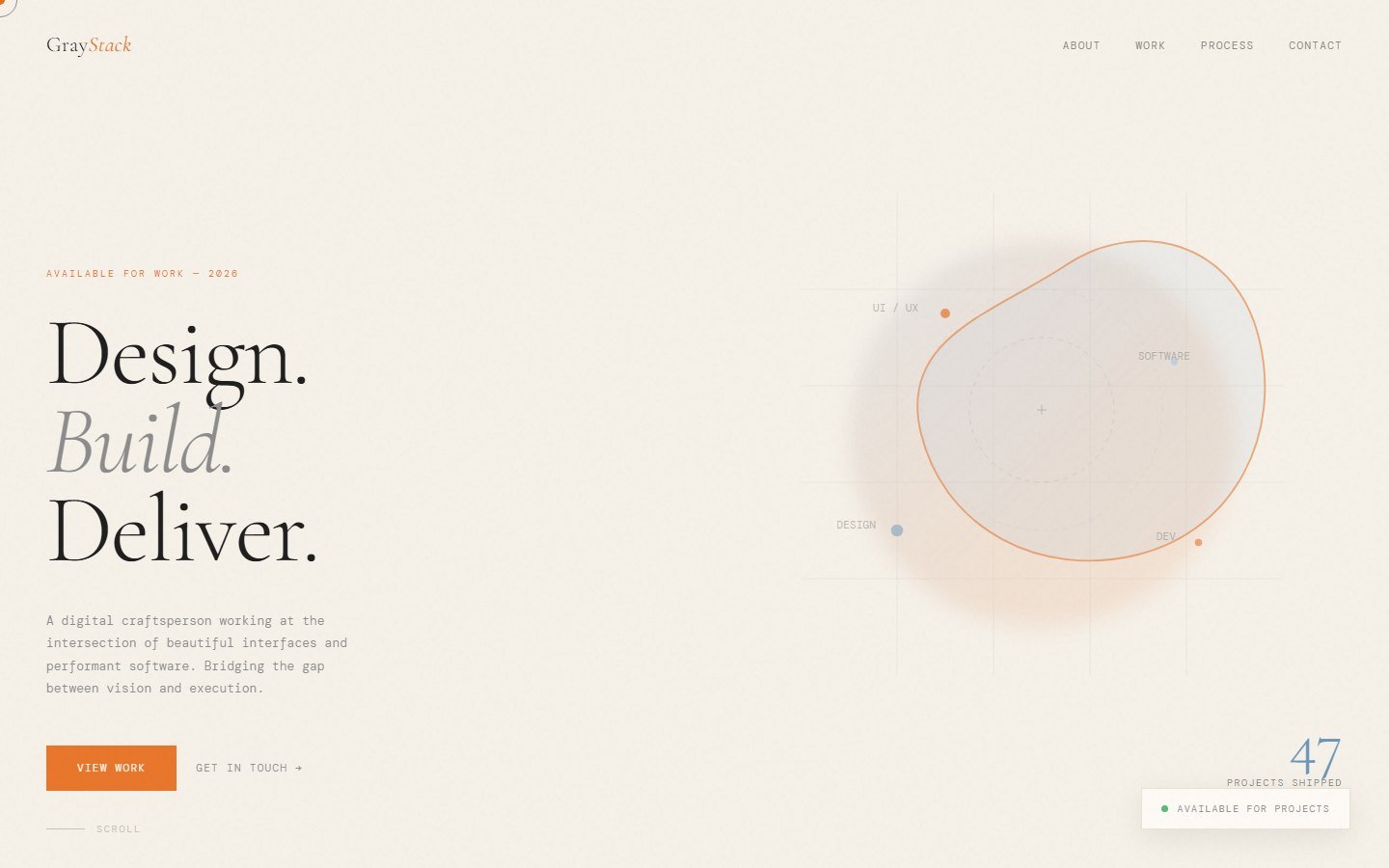
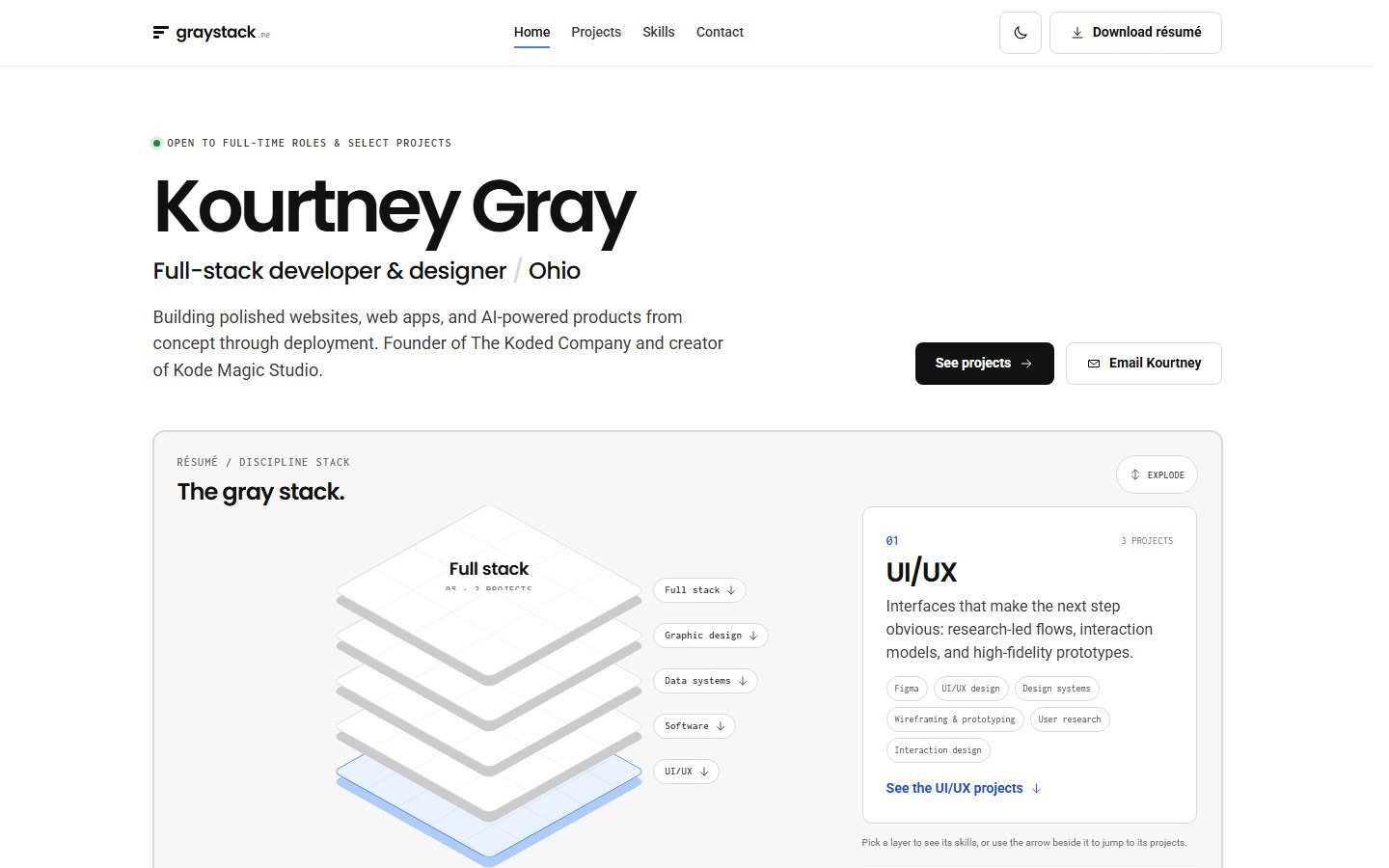 BeforeAfter
Both captured at 1440 × 900. Use the arrow keys on the slider to compare by keyboard.
- First impression"Design. Build. Deliver." beside an abstract shape.My name, my role, and a skill stack you can click into.
- Finding your wayAbout, Work, Process, Contact on one long scroll.Home, Projects, Skills, Contact, with the current section underlined as you scroll.
- The workA Recent Projects section to scroll past.Twelve projects grouped by discipline, each opening a working prototype, and full case studies like this one.
- RésuméNo résumé to take away.A one-click PDF download in the header.
- ThemeLight only.Light and dark, following the visitor's device, with a switch.
- ProofNumbers in badges.Things you can click, use and read the code of.
02 / The idea
Most people don't do one thing. A stack shows that.
I design, build software, organise data, and make graphics. A single job title flattens that. A stack keeps every discipline visible at once and lets visitors start from the one they care about.
- Each discipline is a layer
The stack is the hero. Every layer is clickable, keyboard included, and the top one is selected first.
- A layer opens its skills
Selecting one shows what that discipline covers: a short description and the tools behind it.
- Every layer leads to its projects
A link drops you straight to that discipline's projects, grouped under the same name.
- And every group leads back
Each project group has a "Back to the skill stack" link, so the page never feels like a dead end.
03 / The builder
Once it worked for me, I made it work for anyone.
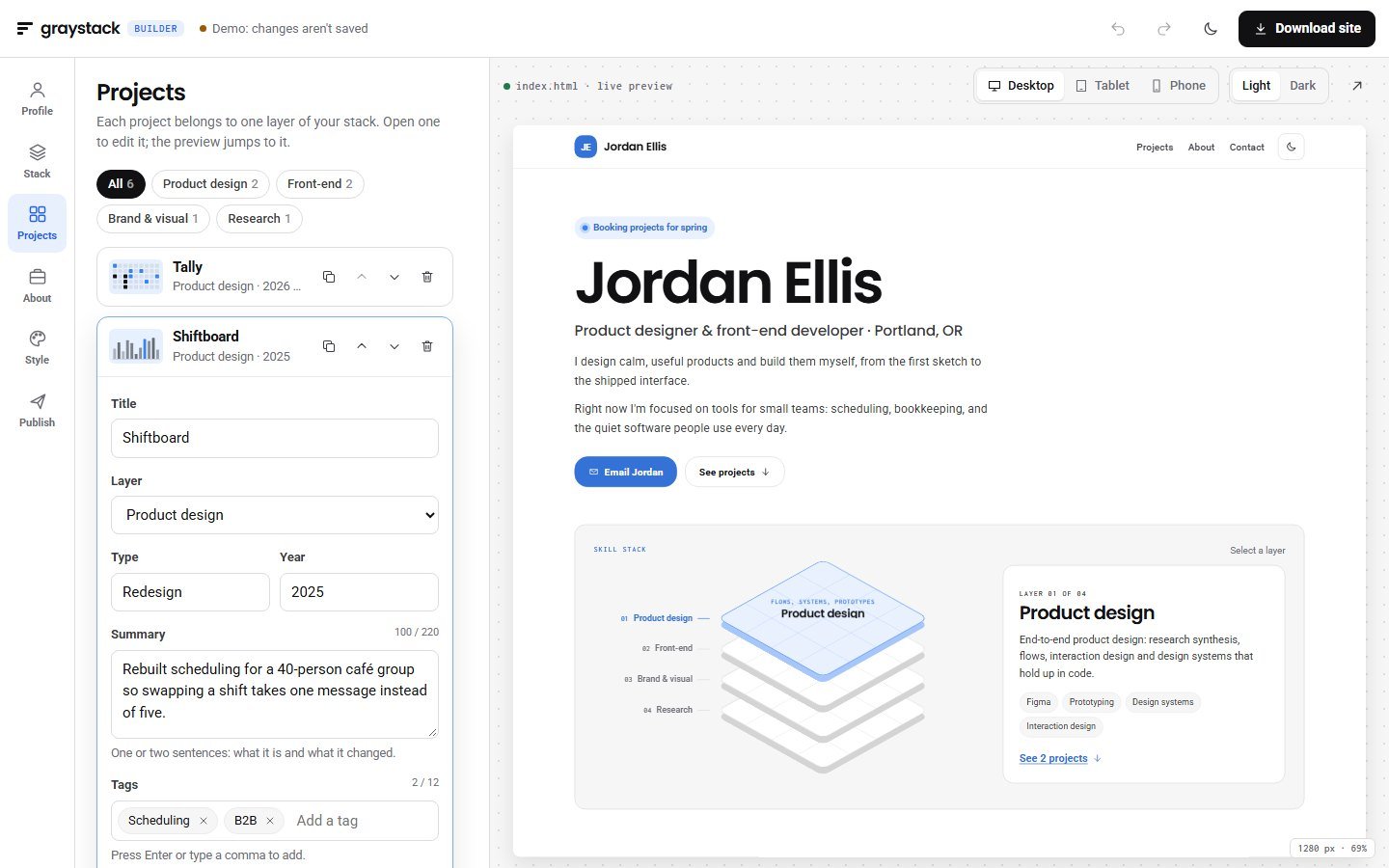
The Gray Stack builder turns the same design into a tool: fill in your profile, stack your disciplines, add projects, pick a style, and download a finished site. The preview on the right is the exact file you download.
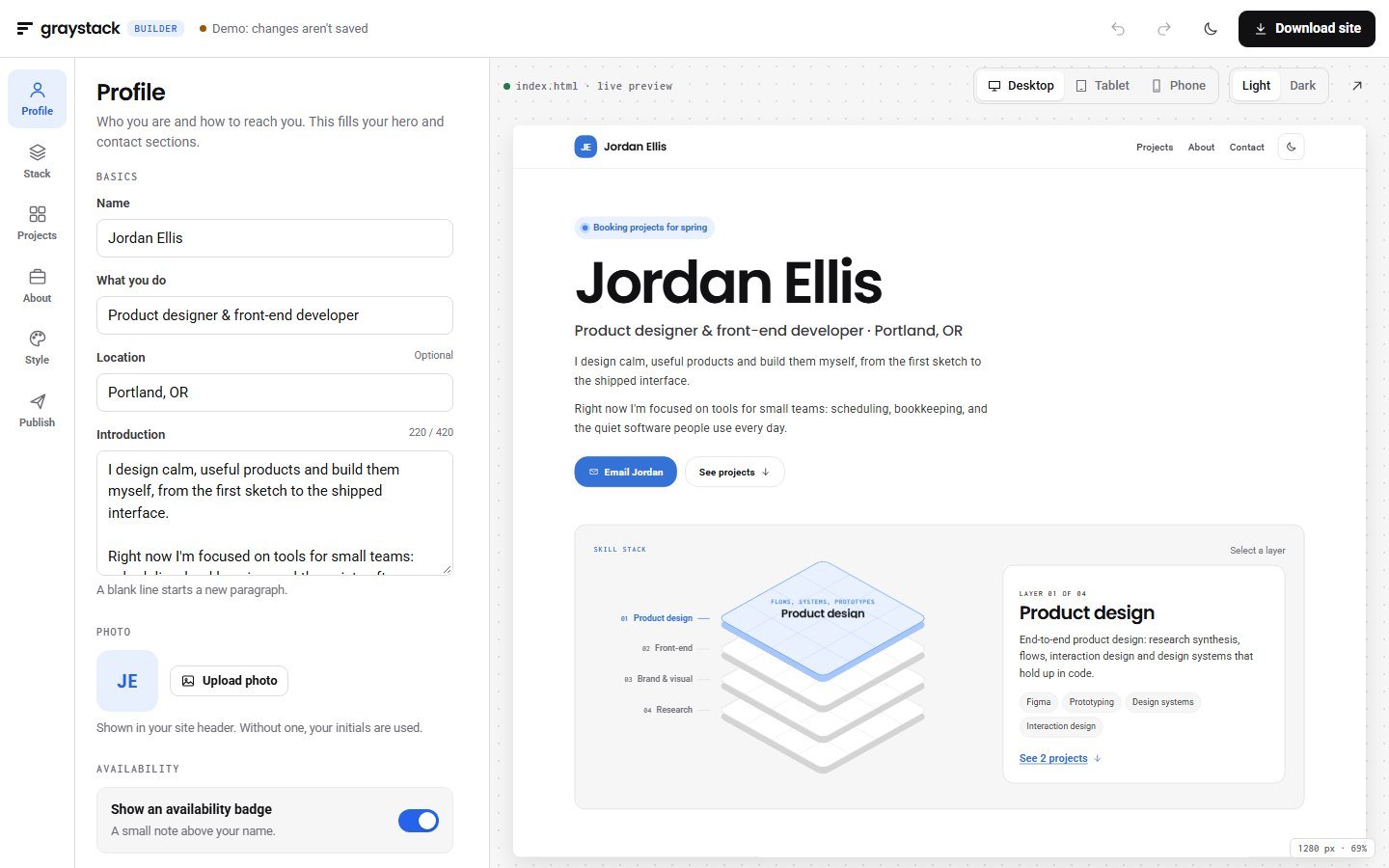
One renderer draws the preview and writes the download, so they can't drift apart.
Every change, from a typo to a whole import, can be undone and redone, including from the keyboard.
Work is kept in your browser automatically. Export a .json to back it up or move devices.
Preview at three sizes and in light or dark before you publish.
No account and no uploads. Photos are resized in the browser and built into the file.
On small screens the builder switches between editing and a full-size preview.
04 / Try it
The real builder, running right here.
This is the complete app, loaded with an example portfolio. Change the name, add a layer, switch the accent, then download the site. This demo doesn't save; the full builder does.
Ready to make yours? The full builder keeps your work in this browser.
Open the full builder05 / What it makes
One portfolio, three looks, one file each.
The same example in three styles. Every export is a single index.html you can put on any host: no build step, no framework, no tracking.
- ~40 KBfor the example site, as one file
- 0dependencies, trackers or build steps
- AAcontrast for buttons and accent text, in both themes
- SEOtitle, description, social tags and structured data built in
06 / How it's built
Three small files and one rule: preview equals export.
About 1,800 lines in all: a renderer, an editor and a stylesheet. No framework, so the exported sites stay small and the builder loads instantly.
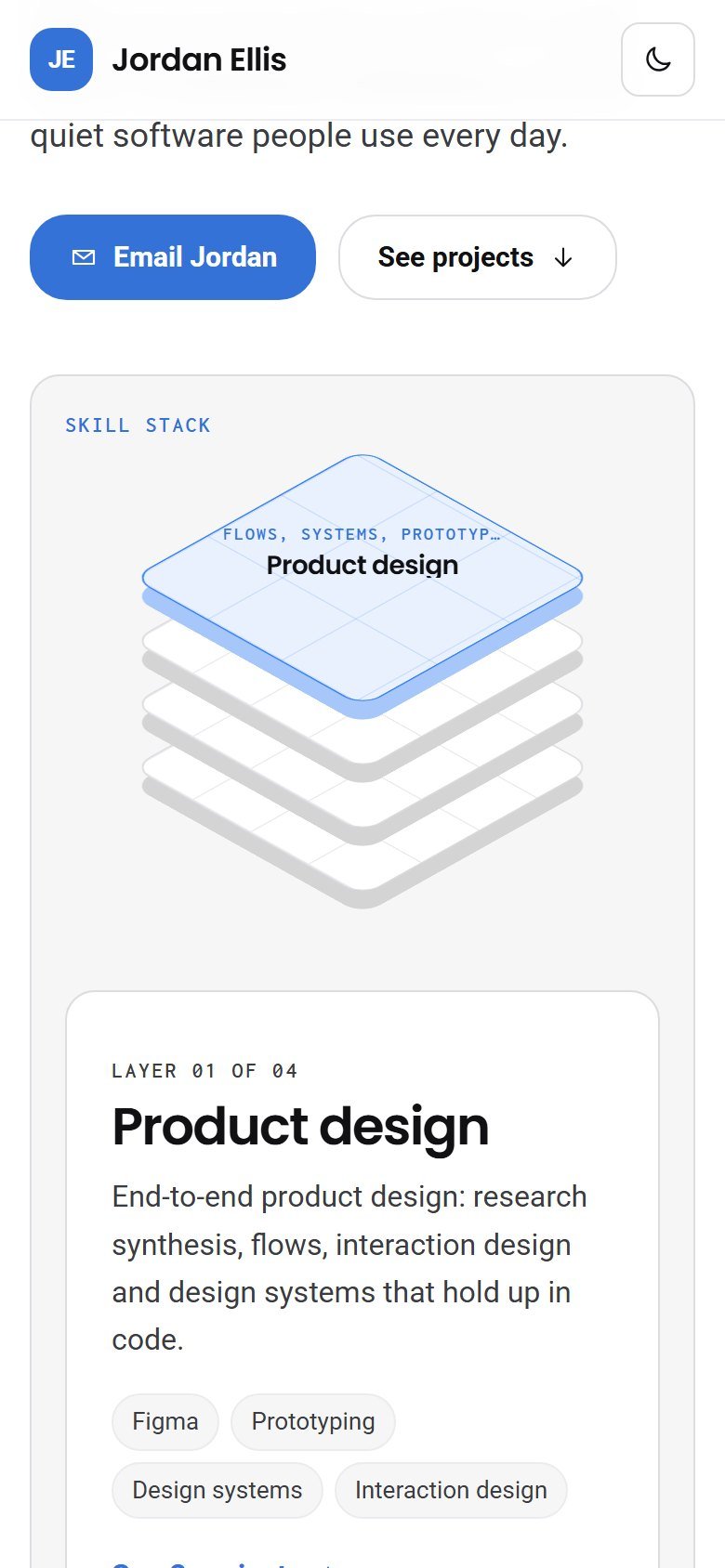
- One renderersite.js turns portfolio data into a complete page. The live preview writes that page into a frame; Download saves the same string.
- Safe by constructionEvery value is escaped, links must be web, email or phone addresses, and images must be real image data, so a pasted script can't end up in someone's site.
- A steady previewEach redraw gets a number, and only the newest one may move the scroll position, so typing never makes the preview jump.
- History and autosaveEdits are grouped into undo steps after a short pause and saved to the browser. Imports and resets can be undone too.
- Contrast by mathsThe accent is nudged toward black or white until text on it reaches 4.5:1, separately for light and dark.
// Shift the accent toward black or white until text in it is readable.
function readable(accent, bg, target) {
  const toward = luminance(hexToRgb(bg)) > 0.5 ? "#000000" : "#ffffff";
  for (let t = 0; t <= 1.0001; t += 0.04) {
    const c = mix(accent, toward, t);
    if (contrast(c, bg) >= target) return c;
  }
  return toward;
}
Pick a light amber and the buttons quietly deepen to a darker amber; pick navy and nothing changes. You keep your colour, and your visitors can read the text.
07 / What's next
What I'd test and add next.
The builder hasn't been tested with other people yet. These are the questions I'd answer first, and the features they might lead to.
Watch five designers and developers make their own portfolio from scratch, and note where they stall.
Check whether people browsing an exported site understand the layers without being told.
Send the file straight to a host such as Netlify, so going live is one button.
Let any project grow into a full case study page, the way this one did.